• Mode

  • Home

  • Showroom

  • Why Buy
    From SCS?

  • Customer
    Service

  • Contact Us
    845_-369_-1777

  • Shopping Cart
    ($0.00)
    0 items
Search

Questions & Answers

Spy Camera Blog


WF-460 made inThis IP Camera is made in USA

Quick Search #708
E-Mail Save This Page Print This Page
IP Camera
(1)
click image to enlarge
IP Camera IP Camera IP Camera
IP Camera

Sample Videos

Available Upgrades & Items

    Audio
  • Audio NOT included [$0.00]
  • Upgrade system with audio (for government agencies & non-covert use only, must click here to purchase) [$50.00]
$369.00 Quantity:
 
Nanny CameraNanny CameraNanny CameraNanny CameraNanny Camera

Product Description

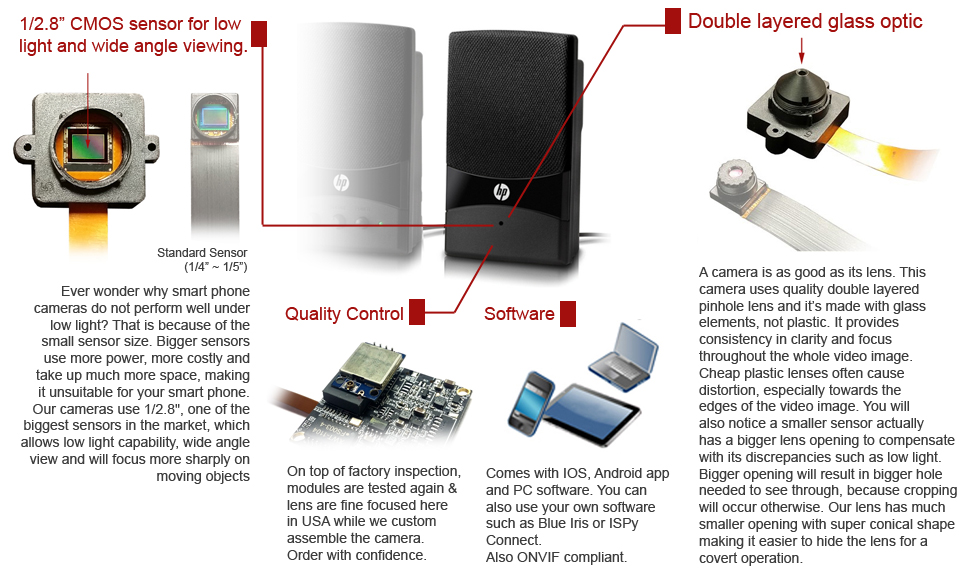
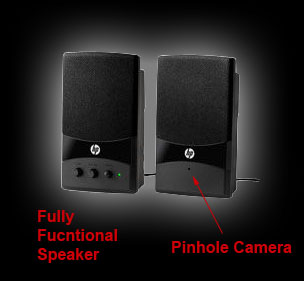
- Wi-Fi camera in a covert housing. No interference, Totally secure, no interception, Strong digital wireless signal, Stable connection

- Allow remote viewing & record (motion activated) from anywhere anytime.
- Single IP for multiple camera control.
- No need for 3rd party software.
- Simple and quick to setup, friendly user interface
- Support IE browser or any other standard browsers
- Wi-Fi compliant with IEEE 802.11b/g, WEP, WPA and WPA2 encryption
- Motion detection alert via email or upload image to FTP
- Multi-level users management with password protection

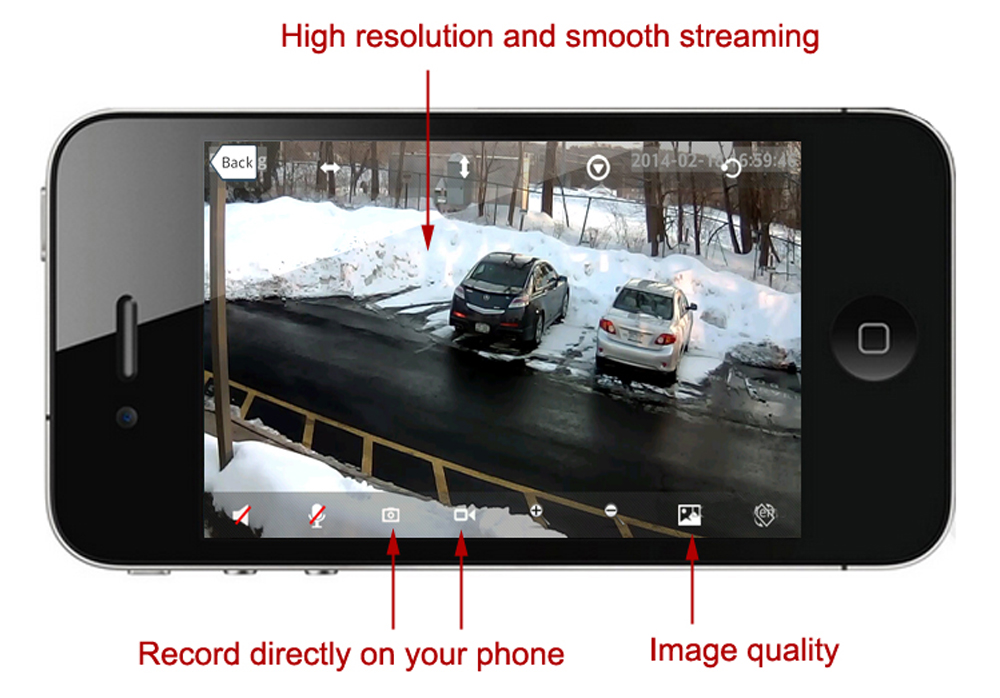
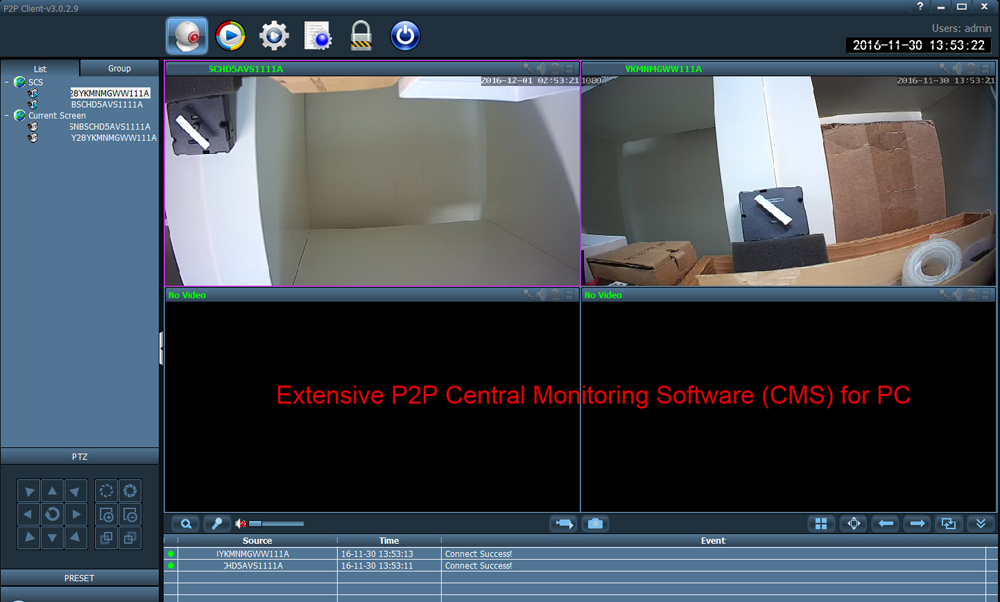
If you were searching for a place to buy a IP Camera, look no further. This item also has the ability to record when motion is detected. Audio recording is an optional upgrade for this device. The key feature of this camera system: it allows for viewing live video over the internet using your PC, Tablet or Smartphone (Android, iPhone).

Are you interested in this IP Camera / Nanny Camera but not sure what's required for setup, how it works or you just have a general inquiry? Chat with one of our Nanny Camera Specialists.

To place order by phone, please call us at 1-845-369-1777
Business Hours: Monday to Friday 10am to 5pm ET
Your purchase will be confidential and shipped in discrete packaging without our company name.
The charge will appear on your credit card statement as "SCS Enterprises, Inc."

Custom Made Item Double Checked For Quality

Manual & Software

Technical Details

  • Sensor: CMOS
  • Viewing Angle: 60 Deg. Horiz.
  • Rec Time: Depends on HD size hr /1Gb
  • Motion Detection Rec: Yes
  • Time Stamp: Yes
  • Audio: Optional
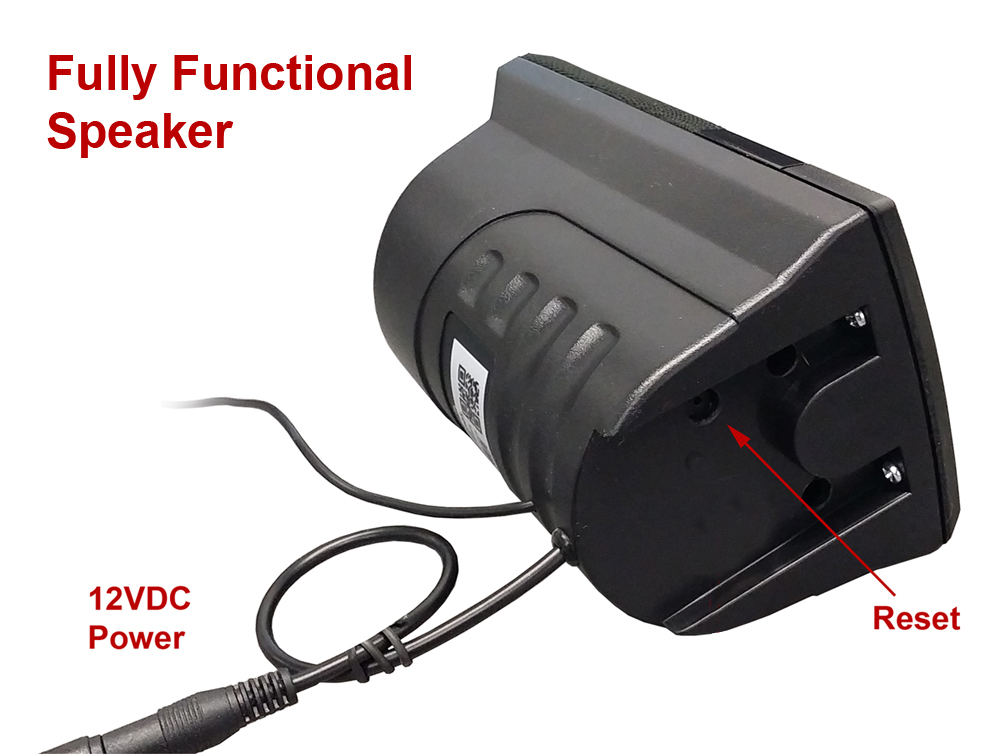
  • Power Rating: 5V DC
  • Power Type: Power Adapter
  • Dim (Length): 6.0 "
  • Dim (Width): 3.5 "
  • Frequency: 2.4GHz Wi-Fi Digital
  • Range: 300 ft
  • Included Items: Power Adapter, DVR Software
  • OS: PC Only

Variations of This Product

You are currently viewing the Wireless Wi-Fi version of the WF-460.
Wireless WiFi IP Wireless RF

Compatible Items


IR-100A

100ft range, Wide Angle, Weather proof Super IR Lamp

Customer Reviews view all reviews

Awesome ! Review by Greg Baker (Public Schools)
"I overlooked the instructions in the box when my speaker cam arrived and just went through logical steps and was up and running in 10 minutes. The only problem I had was bypassing IE security to allow for Active X codes to run to view. The purchase was painless and quick and the unit arrived in two days ! "

Q&A: Have a specific question about this IP Camera? click here.

Q&A: WF-460
Can this Wi-Fi Camera Record Audio?
If you purchase the audio upgrade for our IP Camera unit you will be able to capture audio. Please note that to hear audio from a live video stream you will need to use Internet Explorer as it requires an Active X plugin for operation.
Q&A: WI-FI IP, WI-FI, COVERT WIFI
Can I view live video on my iPod, iPhone, iPad or Android device?
Yes, live video can be viewed on our IP Cameras using any of these devices. There is an option to (Sign in mobile phone) designed just for it. Audio will not be heard when using these devices.
Can your wifi made in other covert housing?
Yes, we are currently working on more of them. We have black box wi-fi system as wells built-in to various covert housings.
Hi, can your wi-fi cameras be viewed with a cellphone such as a i-phone? if so, what are the best ways to connect?
Our WiFi IP cameras are designed to be connected directly from a remote location and included software can only be installed on a PC. Therefore video via a cell phone is not possible without the use of 3rd party software and a dedicated computer for live streaming over the internet.
We recommend using the following software with our IP camera
If you're using Mac OS X: EvoCam
If you're using Windows: webcamXP
How does digital motion detection recording work?
Digital motion detection is a feature for many self recording all-in-one cameras, DVRs and recording software. It senses video pixel movement to trigger the recording, thus saving memory and time when you review the video. Therefore, you only need opening for the lens of the camera to detect motion. When motion is no longer detected for a certain time (programmable) it will stop to record and wait for the next trigger. However, it will not save the power, if battery powered, since both the camera & DVR has to be 'ON' in order to detect motion.
I've connected to the Wi-Fi camera but it shows a black screen?
In order to access the Wi-Fi Camera successfully with Internet Explorer, please download and install the file below. [ Download File ]
Q&A: NANNY CAMERA, WIFI IP CAMERA, WIRELESS CAMERA
After initial set-up, after the camera is working, do I still need to have a PC on the same network to manage the camera?
Initially you do. However you wouldn't need to keep the PC on the same network after it's configured and running. All that's required is the network connection and router.
Are your video signal for wifi cameras secure?
Access to the cameras video stream is password protected.
On top of that, the video is a digital feed on your wireless network so whatever encryption you have configured for that will be provided as well.
Are your wi-fi security cameras compatible with mac?
Sorry, all wi-fi security cameras are not compatible with mac, Windows based only.
Can I download the software for your wifi cameras?
Here is the link to download the Wi-Fi camera software found on the CD.

http://www.spycameras.com/resources/ipcam-user-guide.zip
Can wireless system have interference?
There are 2 kinds of wireless video signals, analog & digital. Analog refers to a RF(Radio Frequency). Only FCC approved RF video signals for consumers are 5.4GHz, 2.4GHz & 900 MHz (obsolete). RF video signal can be interfered by other wireless products in same frequency such as cordless phones and wireless routers. Level of interference varies depending on the proximity of the camera to the receiver and the interfering source. There may be no noticeable distortion in video to slight ~ heavy horizontal lines in video. On the other hand, digital wireless or wi-fi have no interference at all.
Can your pinhole wifi cameras fitted with a different camera? For example a super low light B/W CCD camera?
Sorry, since it is a digital system, the server module only accepts it's own camera.
Can your wi-fi cameras handle multiple units over single IP?
Yes, our wifi camera has it own server and automatic IP pointing. Included software allows up to 9 camera management (record, view, setup etc...).
Can your wifi cameras be used portably with a battery?
Yes, you can battery power the wifi camera with: http://www.spycameras.com/item,p-5dc10ar,5v-dc-wallet-sized-10a-rechargeable-battery.html for about 8 hours and move it around as long as you are within your wireless router’s wifi range to the camera. However, as for portable use, such as mystery shopping, you will need a steady internet connection from your mobile hotspot router. Please call us for more detail.
Does your wi-fi camera support WEP 64 or 128 bit encryption?
Yes, WEP 64/128 bit, WPA-PSK, WPA2-PSK are supported.
Does your wireless wifi covert camera has its own self contained software?
Our Wi-Fi cameras have built in software allowing you to configure it as a web-server without the need for a PC. Only a router and internet connection are required, It can be viewed from any computer.
How do you connect a wi-fi camera?
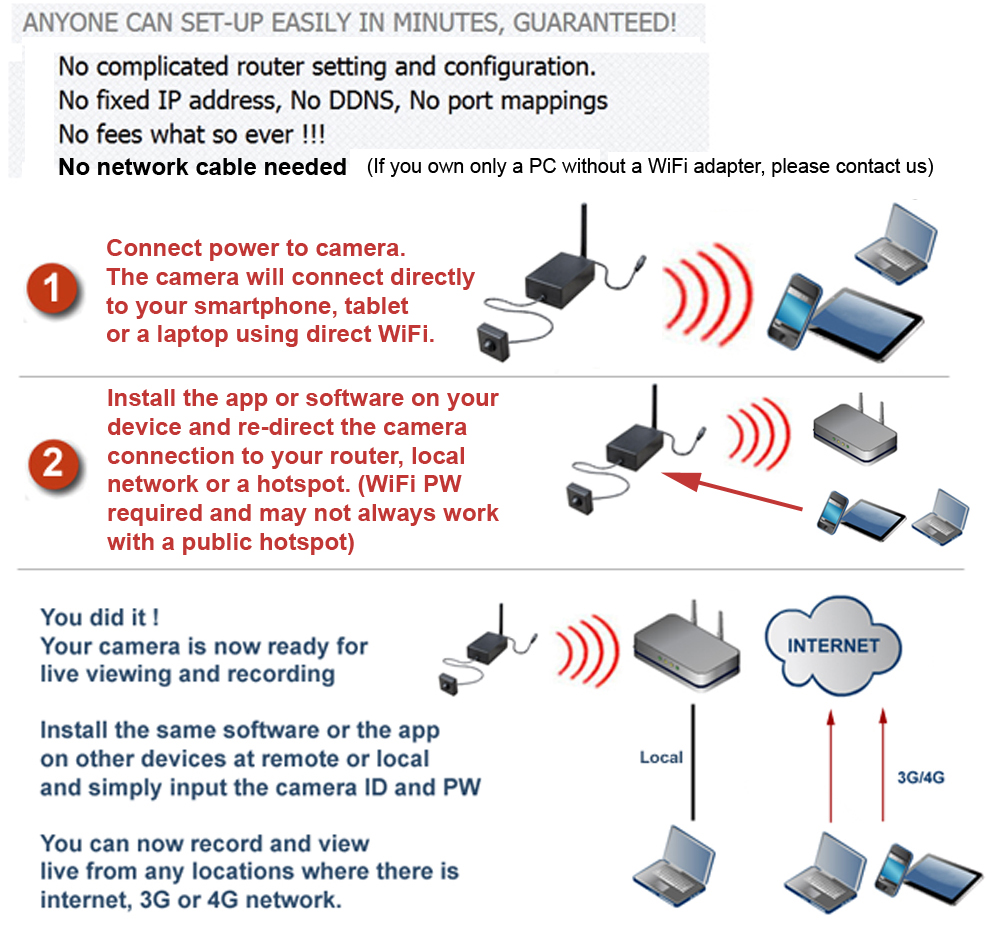
Our WiFi IP Cameras send digital wireless video to a wireless router so all you need is a wireless router. You can also connect with a network cable. Once the set up is done, you can watch the camera from anywhere via web.
Our wi-fi system allow you to install and record from the PC that is connected to the same local network and also from a remote location.
How to setup my WiFi IP Camera for remote viewing?
Please view our setup guide found here WiFi Camera Setup Guide. It contains a few videos on how to setup your Wi-Fi camera for initial use.
What are the basic steps for connecting wifi cameras to my wireless router?
Install the software.

You will need to connect the camera via network cable first. Using 'IP camera tool' let it detect the available camera(s) and when the camera's IP address appear, double click on it.

Main software will open up with video (default user name: admin, PW: (blank)). On the menu, select the network then wireless option, check the 'wireless' option on & indicate your SSID: your router name. Let it reboot and disconnect the camera from the network cable. Turn the power off and on and let the 'IP camera tool' detect the camera wirelessly (may take up to 1 min).

From here on, since the camera has learned to send video wirelessly only to your router, you can move around the camera within your house safely and without resetting the camera.
What feature does my Wireless Router need for remote access?
Either DMZ or Port Forwarding is needed for remote viewing over the internet.
What is the range of your wi-fi camera?
The range depends more on the router and it's access points. In other words, if you can connect wi-fi with your laptop at the location where you wish to locate the camera, it'll work.
Will wi-fi cameras self-recover from a power outage?
With the use of DDNS our Wi-Fi cameras can recover from power outages provided the internet router and connection also recovers.
GENERAL QUESTIONS ON WIRELESS
What is a wireless system?
Wireless system refers to a camera that can transmit video/audio signal to a receiver or to a wireless router without using any cable in between. There is no such thing as wireless power, even wireless cameras needs power either via plug-in or batteries.